
Key Takeaways
- AI visibility means showing up inside the answer, so you need to check answers, not rankings.
- Each of the platforms does things slightly differently, so it is wise not to take one test in one tool for granted.
- A fixed prompt list on a fixed schedule is better than random spot checks.
Introduction
Search is shifting to how to ask questions to get answers such as product suggestions, short summaries, links, and more. To track how your brand is being described by AI in ChatGPT, Gemini, Perplexity, and Google AI Overviews, AI search visibility needs to be tracked to understand the brand’s AI search description.
Only monitoring how often your brand is mentioned online is not enough. The context in which your brand is mentioned, as well as the position, other sources and competitors that are mentioned as well, is also important. We explain how to track brand mentions in Gemini in this post.
Learning how to track brand mentions in Gemini can also reveal visibility gaps in your brand online. By implementing one solid process, you can track AI brand mentions across platforms and thereby also learn how to best track brand mentions in Gemini.
What AI Visibility Means for Your Brand?
The metric of AI visibility looks at how visible a brand is within AI tools. It consists of three components: existence (does the brand get mentioned?), sources (is the brand’s website linked to?), and positioning (what does the brand get described as?).
In the past, rankings indicated where on the street your shop was located. Today, AI generates answers to queries and tells consumers which door to enter through.
Yes, being mentioned without a link is better than not being mentioned at all. But in addition to that, also track links without a name. The fact that people know you is not enough. They have to know that it’s your pages that they can link to in order to be considered a source for their questions.
Why Every AI Platform Needs Its Own Check?
Each of these search engines uses vastly different data sources and wording and therefore can show your brand powerful visibility in some of them while failing to mention you in others. Thus, testing all four is critical.
| Platform | What to Look For |
| ChatGPT | Whether you are named when someone asks for recommendations |
| Gemini | How the answer describes you and which sources it leans on |
| Perplexity | The links listed under the answer, since it shows its sources |
| Google AI Overviews | Whether your brand or pages appear in the summary above search results |
Each of the four tools (ChatGPT, Gemini, Perplexity, and AI Mode for Google’s AI answers) is given its own unique view within MentionPilot’s dashboard with corresponding visibility trackers for each.
Build a Prompt List That Sounds Like Your Buyers
A prompt list for AI tools is a fixed list of questions to test various tools on a regular basis. These questions should be written in the same language as you would use when speaking with potential customers, i.e., not as you would enter a question in a search engine like Google.
We use a simple three-step ladder for this:
- Discover: “What tools help me see how AI talks about my brand?”
- Compare: “Which is better for a small agency, tool A or tool B?”
- Decide: “Is Tool A worth it for a team of three?”
Write your Prompts once and then use exactly the same wording in all subsequent Week(s). Don’t change the wording of your Prompt between Weeks, or you will never know whether any changes you see are down to your increased Brand Visibility or your amended Question.
The biggest failure point of most discovery efforts is to only test the initial inquiry (i.e., the “discover” step) and then fail at the comparison (i.e., the “compare”) and decision (i.e. the “decide”) steps to provide sufficient visibility to potential buyers.
How to Track Brand Mentions in Gemini?
Track brand mentions in Gemini by opening Gemini in a fresh chat window, entering one prompt at a time, and then noting whether your brand was mentioned and how you were described.
Track brand mentions in Gemini by using the following process in order to monitor progress over time:
- Start a new chat for each prompt to avoid earlier questions affecting your answers.
- Paste the exact prompt from your prompt list into the new Gemini chat window.
- Track whether you were named, and if so, where you are listed compared to other brands. Note also the general tone of the mentions found.
- Save the sources that Gemini finds in its research.
- Run the same prompt again a day later, because answers can shift.
Since Gemini is powered by Google, you should keep your brand name, offer, and brand description consistent on your website and other online profiles.
Checking ChatGPT, Perplexity and Google AI Overviews
If you know how to track brand mentions in Gemini, then tracking brand mentions in ChatGPT, Perplexity, and Google AI Overviews will be a walk in the park.
ChatGPT: Use your prompts in a brand-new conversation. As answers appear in the chat window, note the order in which your brand competitors are listed. Answers here are often arranged like a short list, so position in the list is important in addition to simple inclusion.
Perplexity: It lists the sources that were used for the answers in that chat, which you can then add to your spreadsheet. These sources typically consist of review sites, forums, blogs, and other places where there is a lot of in-depth information regarding a particular topic.
Google AI Overviews: Search each prompt in Google to see if a summary for that query exists. Then search for your brand within the summary for that query (across all devices and locations). Results can vary.
Four Signals Worth Writing Down
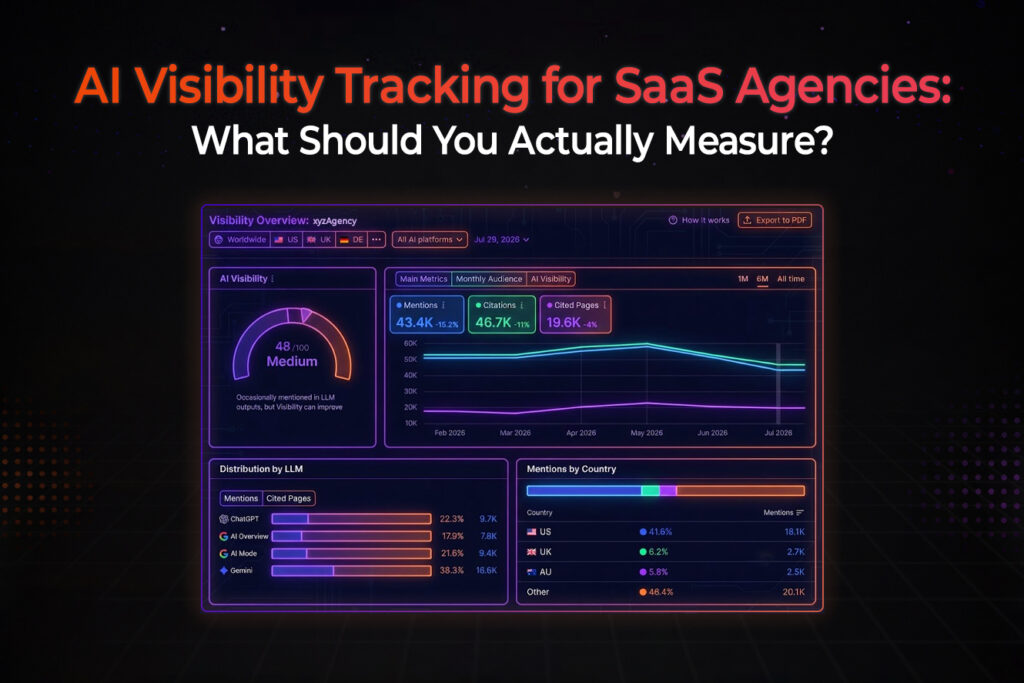
Just 4 signals need to be written down after every run of the full prompt list: mention rate, position, sentiment, sources.
- Mention rate: how many of your prompts name your brand.
- Position: whether you come first in a list or fifth.
- Sentiment: is it positive, neutral or negative in the tone?
- Sources: A link to the pages on which your brand’s information is found by AI-driven search engines.
A Simple Weekly Routine
Pick one day a week for tracking and keep it boring. Run through the full list of your prompts. Record the four main signals. Compared with last week’s results and try to work out what has happened. Next to each change (there should only be one for the week) note whether it had any positive impact or not on your visibility.
FAQs
- How Often Should I Check My AI Visibility?
For most brands, once you have started to monitor your AI visibility, weekly checks will be sufficient. However, during a launch or a campaign, you will want to check more frequently.
- Why Does My Brand Appear in ChatGPT but Not in Perplexity?
Each platform uses different sources. Perplexity, for example, lists all the links it uses in its responses; you can then check if you appear on those sites and, if so, whether you want to add more information there to increase your visibility.
- Can I Fix Low AI Visibility Once I Track It?
Yes. Your tracking reveals problems with your AI visibility. Your content fixes these problems with your human visibility. Write good content on your own website, answer questions on it, and then put equivalent information on other sites that you want to earn mentions from. The AI already trusts these sites.
- Can AI visibility be different across platforms?
Yes, Different AI Systems can Return Different Answers.
- What are AI citations?
The “AI citations” for an AI-generated answer are links to the sources that AI used to generate its answer, which will help you understand which pages and websites need to address your brand in generated answers and recommendations.
- Is AI visibility the same as Google ranking?
While Google rankings show where your pages rank in the search results, AI visibility analyzes whether your brand is included in AI-generated answers and how it is being recommended by AI systems.